Team
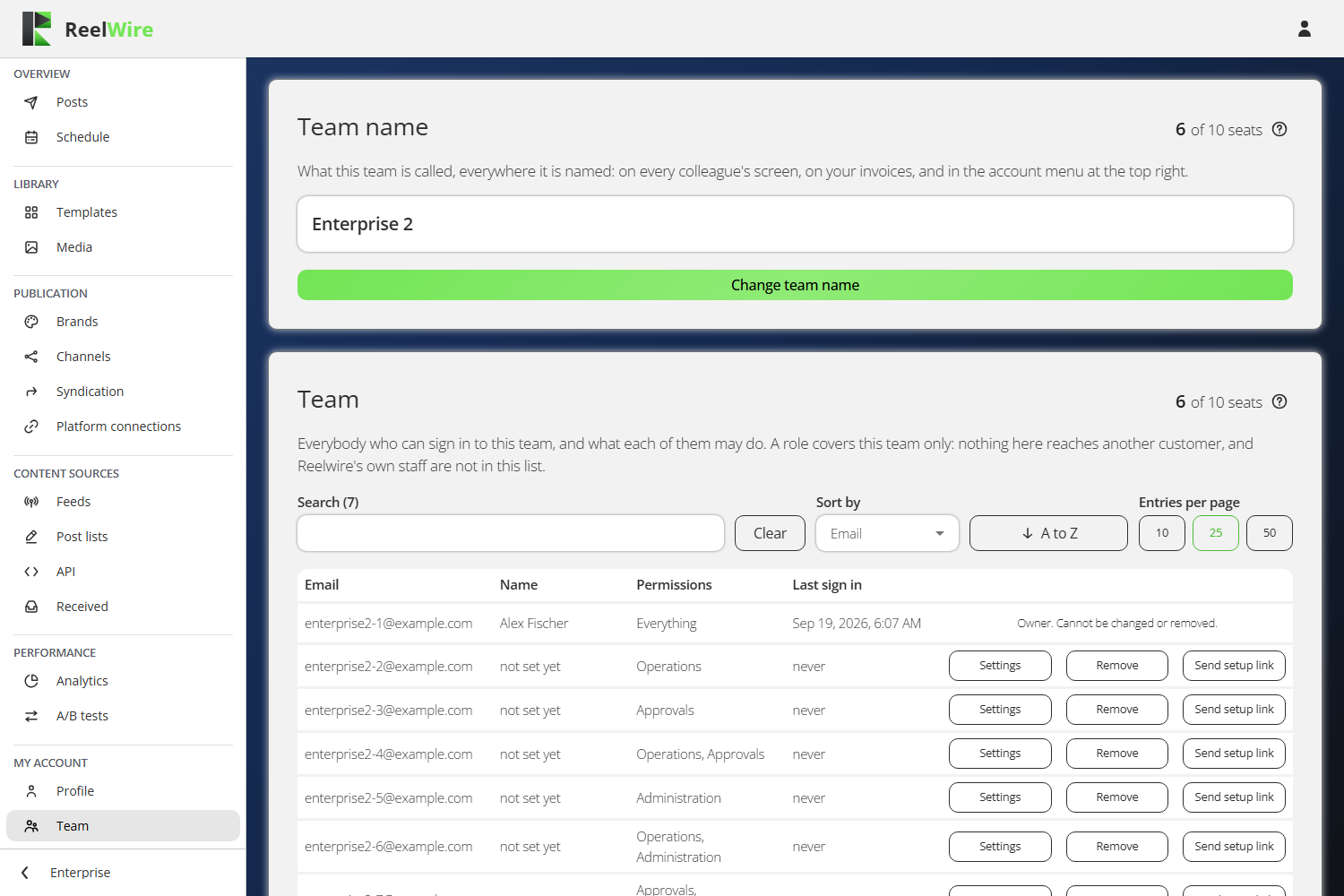
Everybody who can sign in to this workspace, and what each of them may do. It needs the Administration permission, and it comes with Small business and above: on Free and Individual a workspace is one person.
Roles and permissions are different things
There are two roles, and neither is set on this screen. The owner is whoever holds the subscription. The owner can do everything, cannot be changed or removed from this screen, and is the only person who can reach Plan and Billing. Everybody else is a member.
What a member may do is three independent permissions, granted in any combination:
| Permission | What it adds |
|---|---|
| Operations | Channels, brands, content sources and the pipeline. The day to day. |
| Approvals | The Posts screen with Approve and Reject on every post awaiting approval. It grants no editing, which is what a compliance reviewer needs. |
| Administration | Team and Platform connections: the people here, and the credentials that reach the outside. |
At least one is required. Somebody with none would sign in to an empty dashboard.
A role covers this workspace only. Nothing here reaches another customer, and Reelwire's own staff are not in this list.
The team name
The card above the list is what this workspace is called, everywhere it is named: on every colleague's screen, on your invoices, and in the account menu at the top right. Only the owner can change it.
Adding somebody
Add new member takes an address, an optional name and the permissions. There is no password field: they are sent a link to set their own, so the account is theirs from the start.
The dialogue that follows shows a one-time password as well, in case the message does not reach them. It is shown once and cannot be read again. If it is lost, use Send setup link on their row rather than going looking for it.
A setup link does not expire, so it still works whenever they get to it. Sending a new one stops every earlier link working, so only the newest is ever live.
Seats
The owner is not a seat. Seats count the colleagues besides them, and the count is on the plan. When they are all taken, Add new member is disabled and says where to get more, on Allowance.
Giving a seat back does not sign anybody out. What comes down is the room to add the next person.
Removing somebody
Removing signs them out everywhere and their account is gone. What they did is not: the audit trail records the address behind every action, and those entries outlive the person, which is what makes this safe to do. There is no undo, and adding the same address again makes a new account rather than restoring the old one. The dialogue asks you to type the address first.