Channels
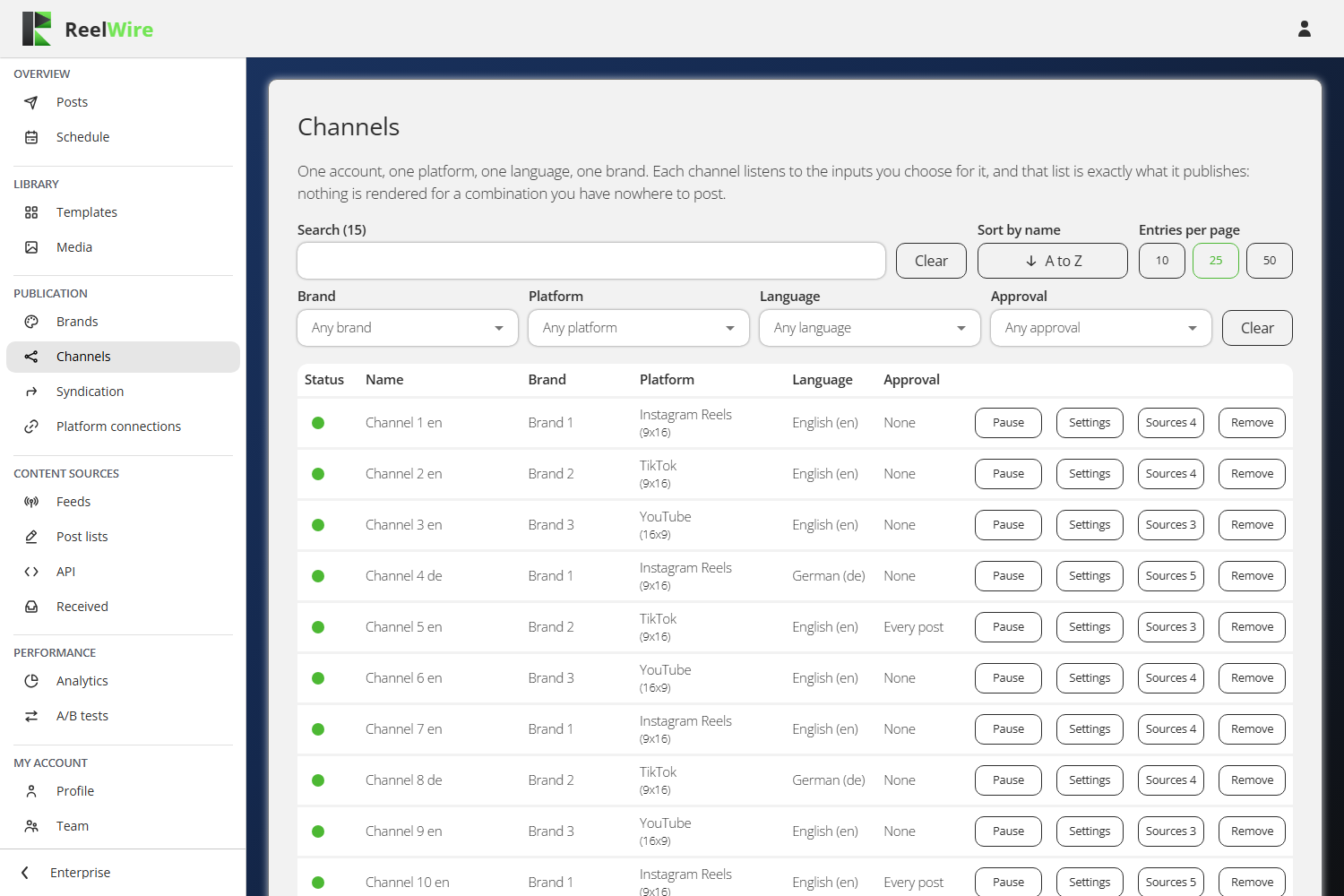
A channel is one account, on one platform, in one language, wearing one brand. There is nothing above it: a workspace has the accounts it posts to, and this screen is that list.
An account that posts in two shapes is two channels, because the shape is rendered rather than cropped afterwards. An account that posts in two languages is two channels for the same reason.
Making one
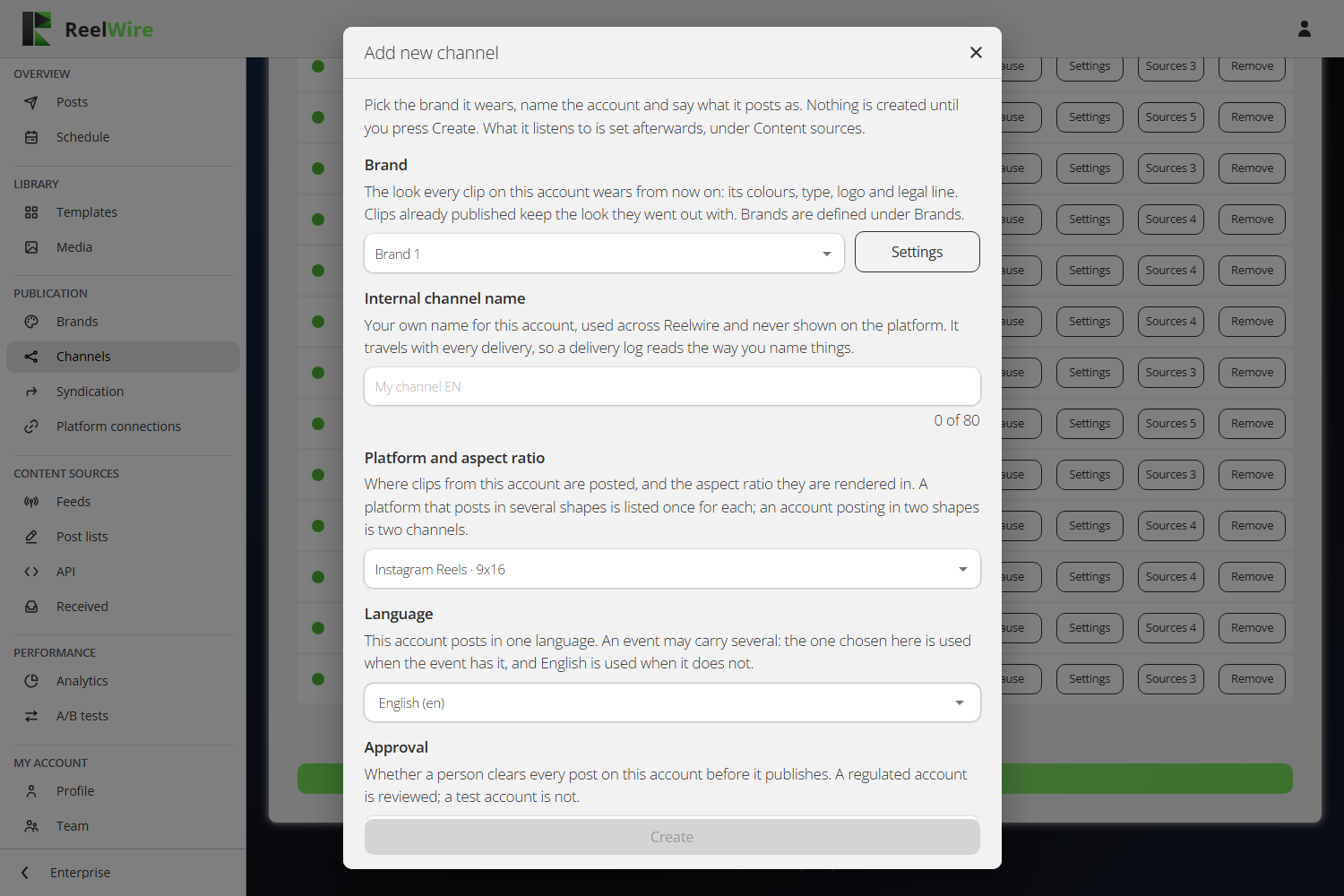
Add new channel asks five things: the brand it wears, your own name for it, the platform and aspect ratio combined into one choice, the language it posts in, and whether a person clears every post first. Nothing is created until you press Create.
The name is yours alone. It is never shown on the platform, and it travels with every delivery, so a delivery log reads the way you name things. The placeholder suggests "My channel EN", with the language on the end, because that is the distinction you will need when there are fifteen of them.
Where the platform offers posting options, a Posting section appears under the rest: visibility, and switches such as "Allow comments", "Allow duets and stitches" or "Hashtags as first comment". Only what the chosen platform actually offers is shown.
The thing people get wrong: a channel with no sources renders nothing
Making a channel does not make it post. A channel publishes exactly what it listens to, and it listens to nothing until you press Sources on its row and add something.
This is the one fault on this screen that looks exactly like everything being fine, which is why the row prints the count on the button: "Sources 0" is the answer to "why is nothing happening".
In the Sources dialogue, Add new source offers Feeds, Post lists and, where the plan includes it, Custom API. Then two pins:
- Variant is which cut of the template this channel wears.
- Version is which build. "Latest" follows new builds, so an update to the template reaches this channel by itself. Pick a number to hold it where it is.
The template itself is not a choice here. It is fixed by the source, so it is shown as a read-only card rather than a disabled dropdown. A post list is the exception: each of its posts picks its own template, so the card reads "Chosen per post".
The second thing people get wrong: existing is not being connected
A channel needs credentials before anything can be published to it. Those live on Platform connections, one set per channel. Until they are entered, that screen shows the channel as "not connected" and posts stall at the last step.
Pausing and removing
Pause stops a channel rendering and posting, and is undone by pressing it again. Pausing a single source instead stops only that source on that channel; pausing a feed on Feeds stops it on every channel at once.
Remove stops the channel at once: nothing more is rendered or posted, posts still waiting to render, for approval or to go out are cancelled, and its platform connection is removed. Posts already published stay online and stay in Posts, marked as removed. Because none of that can be undone, the dialogue asks you to type the channel's name.