Brands
A brand is the look your clips wear: nine colours, three fonts, a logo, an intro and an outro, the two lines across the top of a clip and the two along the bottom, and the text every post under it carries. You define a brand once here and pick it when you make a channel.
Brands come first in the set-up because a channel cannot be made without one. If the workspace has no brands, the brand field on the new channel dialogue is replaced by the sentence "There are no brands to pick. Make one under Brands, then come back here."
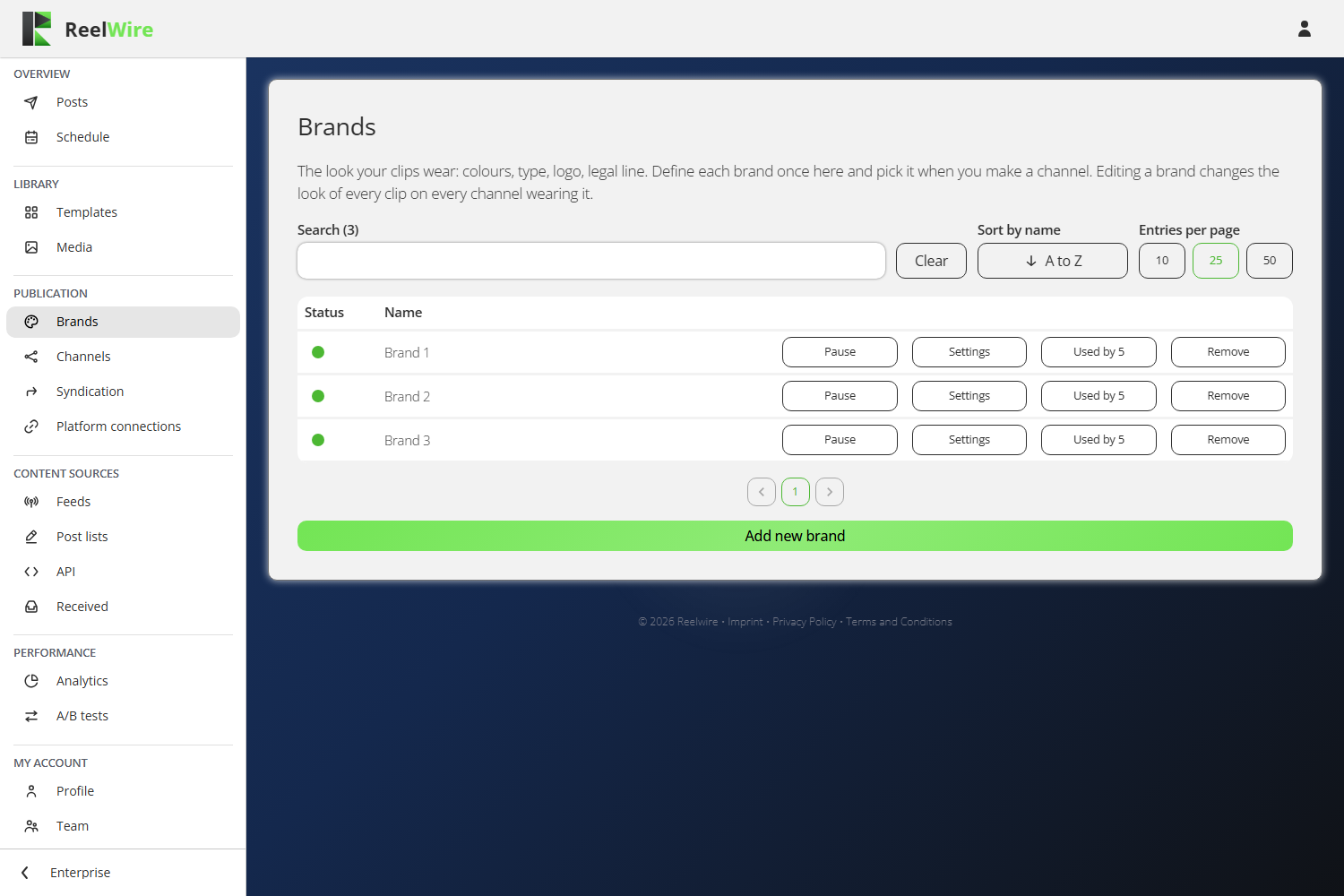
Each row carries Pause, Settings, Used by and Remove. The count on the Used by button is there because "nothing is wearing this" is the one fact about a brand you cannot see by looking at the brand.
The editor
Settings opens the brand, and Add new brand opens the same editor empty. On the right is a Review column that draws a mock clip in the nine colours and three fonts the form sets, so you can see a change before you save it.
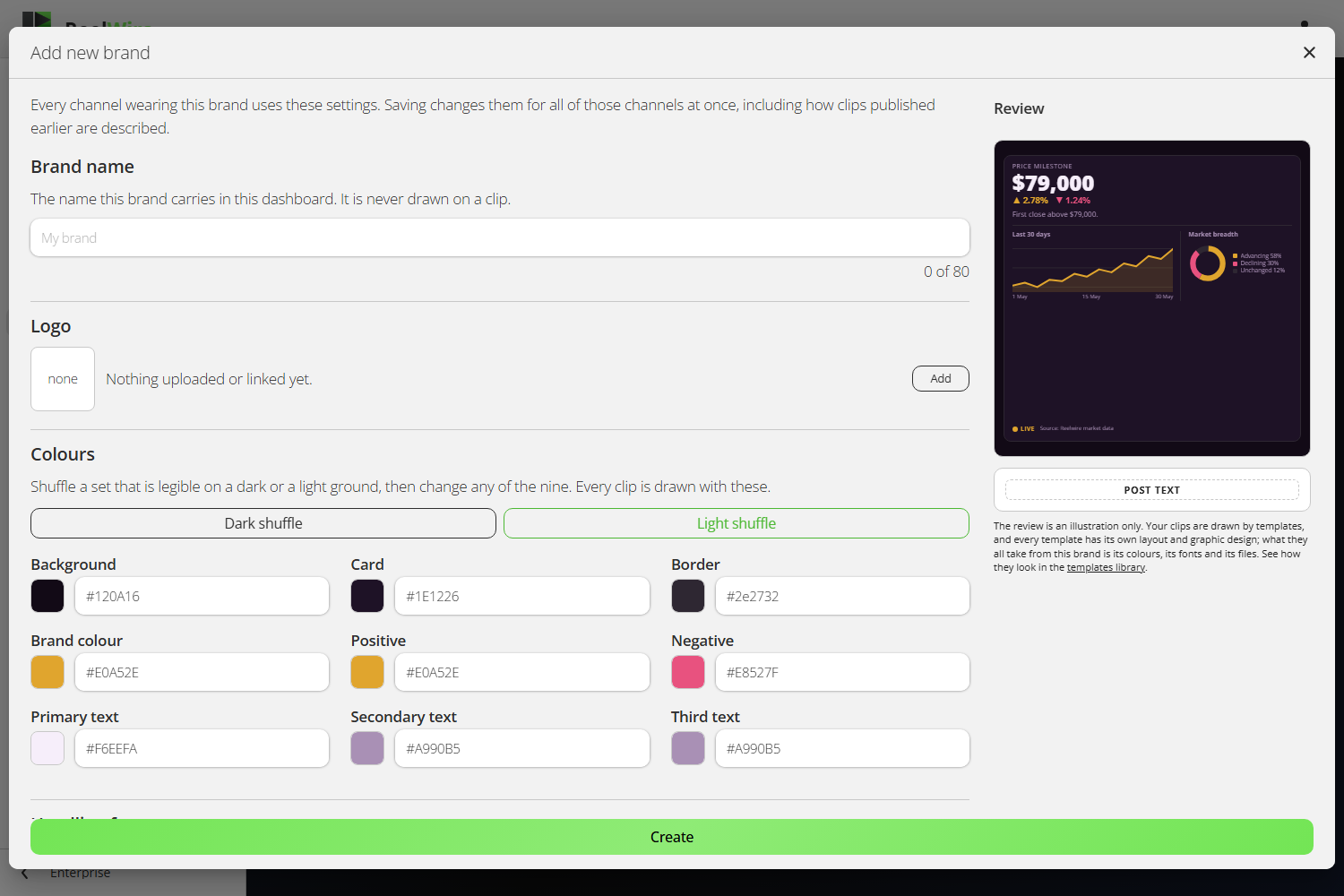
The review is an illustration, not a preview of your clips. Every template has its own layout and its own graphic design. What they all take from a brand is its colours, its fonts and its files. To see the real thing, use Preview on Templates.
The two things people get wrong
Pressing "Add new brand" creates nothing. The brand exists when you press Create. Opening the dialogue and closing it again leaves nothing behind. The one exception is deliberate: if you upload a file inside a new brand, the brand is created at that moment, because a file has to belong to something. After that the dialogue is editing a real brand and the button reads Save.
Saving changes every channel already wearing the brand. That is the point of a brand, and it is still the thing that surprises people. The editor says so at the top: "Every channel wearing this brand uses these settings. Saving changes them for all of those channels at once, including how clips published earlier are described." Clips already rendered keep the look they went out with, but the post text under them is read from the brand and changes with it. Press Used by first to see which channels you are about to affect.
Languages
Below the look sits Localizable properties: what a brand says rather than what it looks like. Fill in Default alone and every channel wears it whatever language it posts in. Add a language and tick only the fields that differ. Anything left unticked falls back to the default, and is shown greyed out so you can see what the default draws.
Colours, fonts and the logo are deliberately not among them. A German channel wearing a different palette from an English one would be two brands under one name.
Intros and outros
An intro or an outro is uploaded once per aspect ratio: 9x16, 4x5, 1x1, 16x9 and 2x3. A shape with no clip has no intro at all. The editor turns red when a shape that one of your own channels actually posts in has nothing uploaded, because that is the case where clips go out without the opening you thought you had set.
The post text budget
Description, hashtags and link share 300 characters, and the editor counts them for you. That budget is not the platform's limit: it is the room the brand takes out of every post, and the post's own caption gives way to fit around it. Going over turns the count red. Stay inside it, or the platform is the one deciding what gets cut.
Removing a brand
Removal hides a brand rather than deleting it. Clips it already drew keep its look and their posts stay in Posts, marked as removed. If channels are wearing it you must choose another brand for them in the same dialogue, and if there is no other brand the removal is refused: "There is no other brand to move them to. Add one first, then remove this one."
On the free plan
Every clip carries a Reelwire bar under your own footer, on a band of its own so it is never taken for part of your brand. Nothing in the editor changes it. It comes off on any paid plan.