Custom API and API keys
This is where your own systems put data into Reelwire. It is on every tier, Free included: what a plan sells is render allowance, storage and seats, never whether the product can be driven from your own code. Reelwire's own feeds and post lists publish alongside it.
Streams
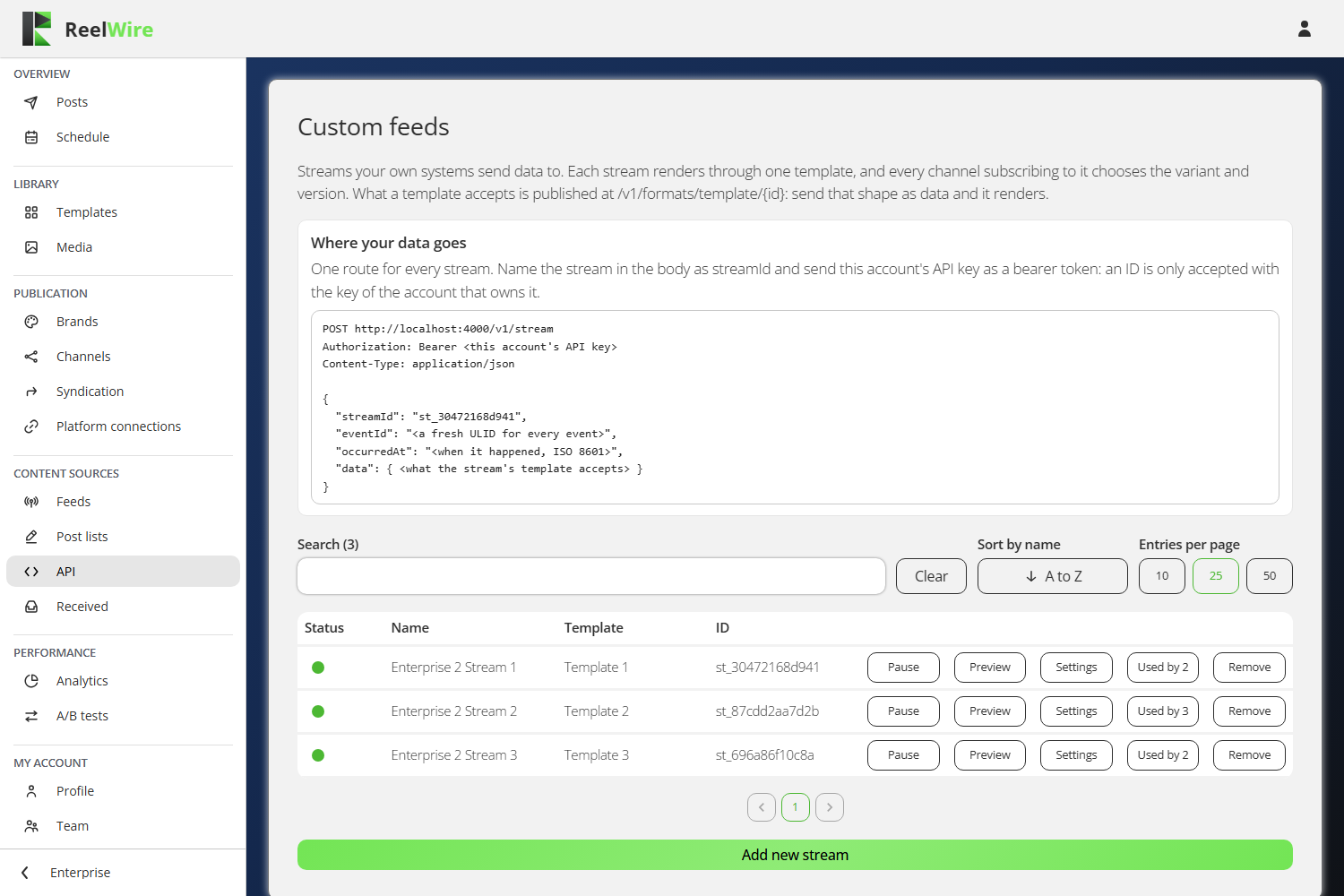
A stream is a named place your data arrives. It renders through one template, and every channel
subscribing to it chooses the variant and the version. One route serves every stream: you name the
stream in the body as streamId and send an API key as a bearer token. An ID is only accepted with
a key belonging to the account that owns it.
There is no field mapping. Every template publishes the keys it accepts at
/v1/formats/template/{id}, so a producer written against the published format sends the content
directly and there is nothing in between to configure. See the
API reference for the request in full.
Two things to know:
The ID cannot change. Your system names it in every request, so changing it would break that silently. The ID is minted when you open the Add dialogue, before the stream exists, so what you copy out of the dialogue is what gets created.
Changing a stream's template resets the channels. A channel subscribing to a stream renders through the template set here, in the variant and version that channel chose. Change the template and every one of those channels goes back to the default variant and the latest version.
Removing a stream stops it accepting data. Anything still sending its ID gets a refusal saying the stream was removed, rather than silence. Data it already received still renders and posts.
API keys
The keys card is below the streams, and it is an admin's alone: anybody else on this page sees the streams without the card that mints credentials.
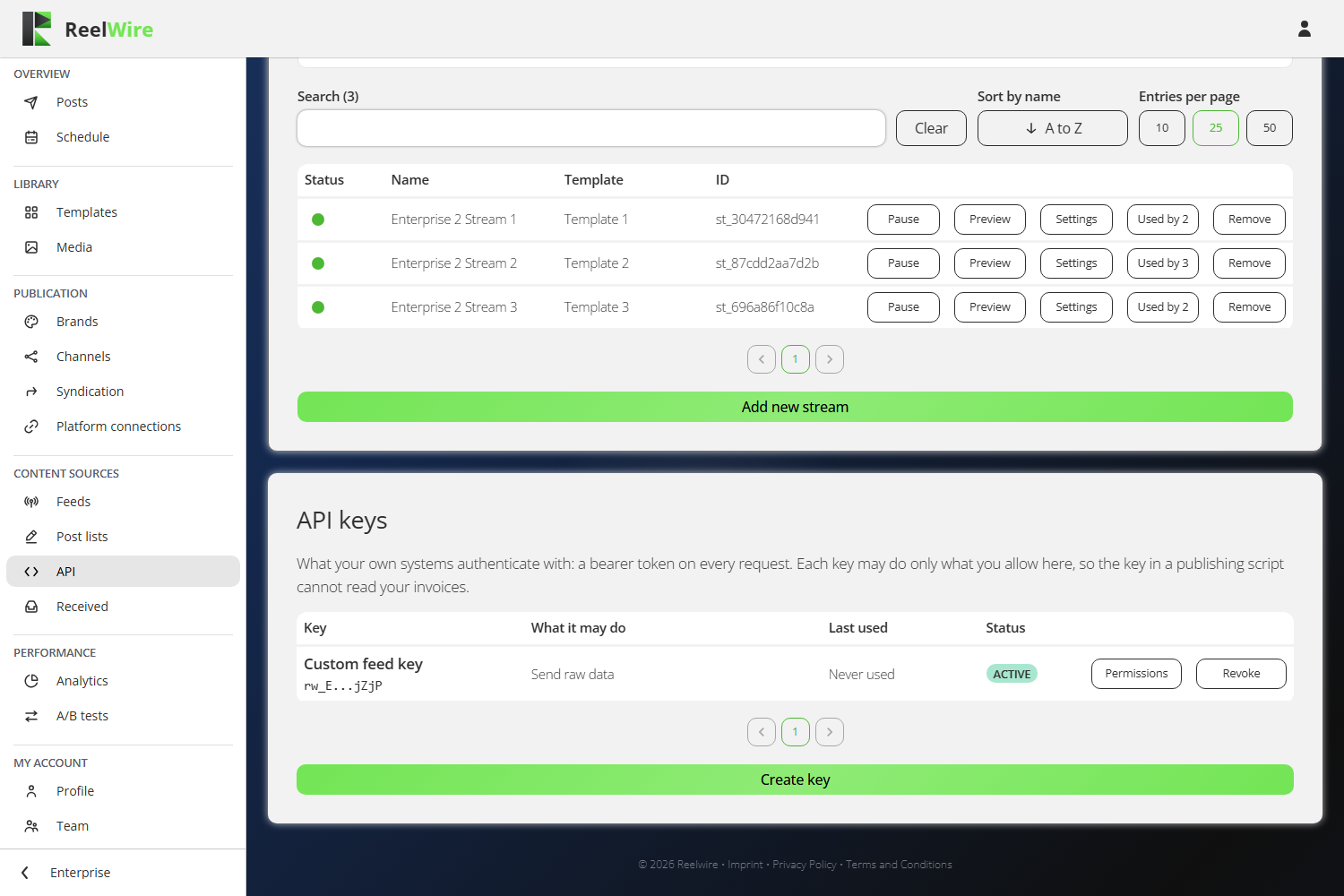
A key is a bearer token your own systems authenticate with. Each key may do only what you allow, so the key in a publishing script cannot read your invoices.
Create key asks for a name, then what the key may do. Every area has two boxes, Read and Write, and nothing ticked is no access.
Ticking Write ticks Read with it and locks it. That is not the screen being fussy: a key that may change a thing may already look at it, so leaving Read tickable underneath Write would let you untick a permission the key still holds.
Where an area has nothing to read, its Read box is greyed. Send raw data is the one: it is a push, and there is no route behind it to look at.
Whatever you choose, no key can create or revoke keys, sign anybody in, or reach another workspace.
The secret is shown once. Only a hash is stored, so there is no endpoint that could show it again and no support request that could recover it. Copy it before you dismiss the panel.
Keys are revoked, not deleted. A revoked key stops working immediately and stays in the list with its last-used date, which is what tells you whether the key you just killed was still in use.
Name a key after where it lives, not after what it does. When you need to revoke one in a hurry, the question you will be answering is "which machine is this on".
See Authentication in the API reference for how to send it.
If the subscription is cancelled
The gate is on creating things, not on running them. A cancelled workspace keeps the keys and the subscriptions it already has, so nothing stops a script that is already sending. What it stops is making new ones, and resubscribing on any tier, Free included, opens it again.