Platform connections
This is the way out: how a finished clip reaches the account it belongs to. It is an admin's screen, and it is separate from API keys on purpose. A key goes into the script that sends data in. What is on this page goes into whatever receives posts going out. The two are set up at different times by different people.
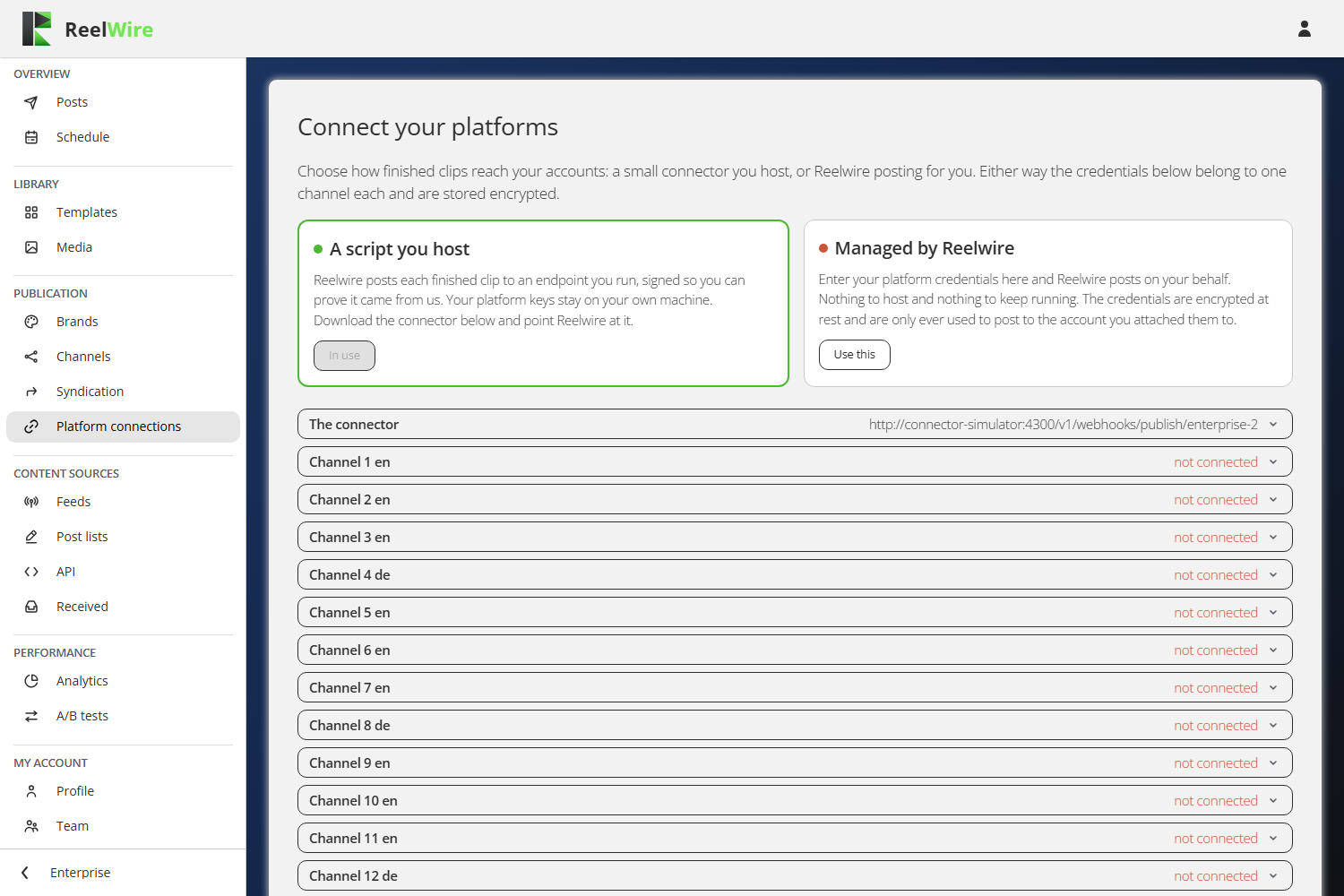
Two ways, and you pick one
- Managed by Reelwire. You enter your platform credentials here and Reelwire posts on your behalf. Nothing to host. Credentials are encrypted at rest and used only for the account they were attached to.
- A script you host. Reelwire posts each finished clip to an endpoint you run, signed so you can prove it came from us. Your platform keys never leave your own machine.
The self-hosted route adds a section called The connector with the script to download, in Node
or Python, and a .env holding your signing secret and every credential you entered. Both scripts
have no dependencies beyond the language itself. Treat the .env as a password, because it is one.
Credentials are per channel, not per platform
There is one collapsible section for every channel, and each holds its own credentials. Two Instagram accounts are two channels and two sets of credentials. The summary word on the right tells you where each one stands: "connected", "not connected", "needs entering again", or, where Reelwire has no credential fields for that platform yet, that it is not connectable.
Leaving a field empty keeps what is already stored. That is what the Modify dialogue means by "a secret is never shown again once it is saved": you are not looking at a blank field because something was lost, you are looking at a field you do not have to retype.
Your delivery endpoint
The middle card sets where published posts are delivered and how a receiver proves they came from Reelwire. It prints the exact header and signature format rather than describing them, because that string is what you are about to write an HMAC check against.
Each delivery also carries a key id, so one receiver can hold several customers' secrets and know which one to check against.
Rotating the secret takes effect on the next delivery. Anything still verifying with the old secret starts rejecting until you update it, so rotate when you can deploy the new secret, not before. The new value is shown once and cannot be shown again.
Checking what was delivered
The bottom card lists every attempt to hand a clip over, newest first, with the answer that came back: queued, sending, delivered, retrying, or gave up. A failed delivery is retried on a ladder; one that ran out of attempts stops there and says so.
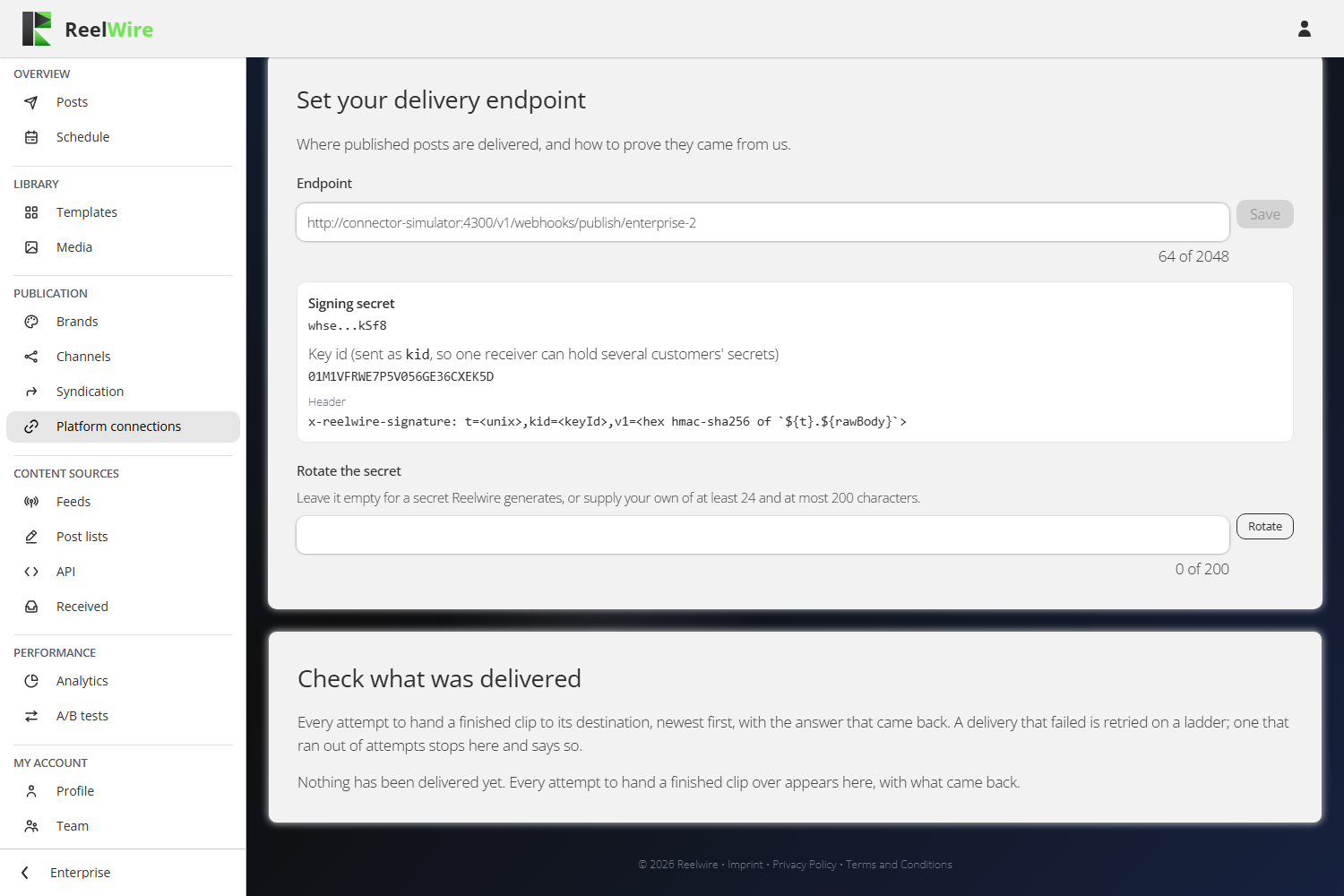
Deliver again is offered on every row, including delivered ones, because the usual reason to want it is that the receiver lost the post rather than that Reelwire failed to send it. A redelivery reuses the same body and the same signature, so a receiver that de-duplicates on delivery id will correctly ignore it.